
Table of Contents
Mastering HTML for Mobile: Creating Stunning Responsive Web Designs
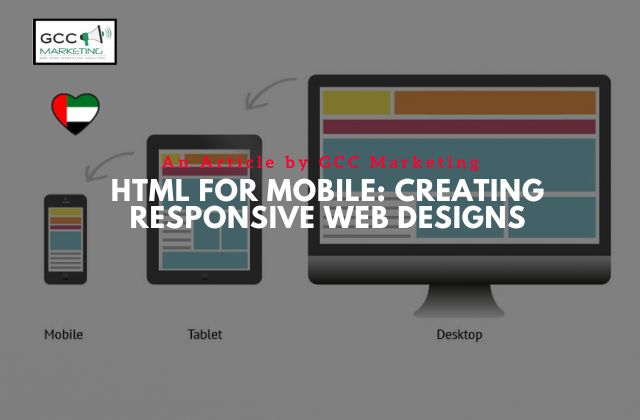
In today’s digital landscape, where an array of devices with different screen sizes and resolutions access the internet, creating a responsive web design has become imperative. HTML, along with CSS, plays a pivotal role in ensuring that your website looks and functions seamlessly across desktops, tablets, mobile phones, and everything in between. In this comprehensive guide, we’ll explore the fundamentals of HTML for mobile and how to craft responsive web designs that adapt beautifully to various devices.
Building Responsive Websites with HTML: A Mobile Design Guide
Responsive web design refers to an approach to make web pages render well on a variety of devices and window or screen sizes. It’s all about creating a fluid user experience, no matter the screen width or pixel density. To achieve this, HTML and CSS work in tandem to resize, scale, and optimize content and layout elements.
HTML Responsive Design: Crafting Layouts for Mobile Excellence
At the core of responsive web design is the use of media queries, a CSS technique that allows you to define styles based on screen size or resolution. By incorporating media queries into your HTML and CSS, you can design layouts that are flexible and adapt to different screen sizes effortlessly.
Create a Responsive Website with HTML: Mobile-First Approach
A mobile-first design approach is becoming increasingly popular. It involves designing for mobile devices first and then scaling up for larger screens. This approach ensures that your website looks great on mobile phones, where the majority of internet traffic originates, and then progressively enhances the experience for tablet and desktop users.
Make Your Website Look Good Everywhere: HTML for Responsive Design
To make a website responsive, HTML and CSS are used to create a fluid and visually appealing layout. Responsive breakpoints are defined in the CSS code to dictate when the layout should change based on screen width. This approach allows web designers to craft designs that look good on a wide range of devices, from the smallest smartphone to the largest desktop monitor.
Tablet-Friendly Web Design: Harnessing HTML for Responsiveness
Tablets are a unique category of devices, falling between smartphones and desktop computers. HTML and CSS provide the tools needed to create tablet-friendly layouts. By using a combination of media queries and flexible grid systems, you can optimize the user experience for tablet users.
HTML Magic: Transforming Your Site into a Responsive Masterpiece
One of the key ingredients in responsive web design is the viewport meta tag. This HTML element allows you to control how a web page is displayed on a mobile device by setting the initial scale, defining the viewport width, and ensuring that the content scales appropriately.
Responsive Web Design Made Easy: HTML’s Role in Mobile Optimization
Responsive web design principles emphasize the importance of using relative units, such as percentages, for layout elements. This ensures that your design adjusts proportionally to the screen size, delivering a consistent user experience across devices.
From Desktop to Mobile: Crafting a Seamless HTML Responsive Website
The transition from a desktop-oriented design to a responsive one often involves a significant paradigm shift for web developers. However, by understanding how CSS media queries work and integrating them into your HTML and CSS code, you can successfully make the transformation.
Unlocking the Power of HTML: Designing Responsive Layouts for Mobile
Responsive web design is about more than just layout adjustments. It also encompasses responsive text size techniques, font scaling, and the use of CSS units. These techniques ensure that your text remains legible and visually appealing on screens of all sizes.
Harnessing the Power of Media Queries: Creating Responsive Web Designs with HTML and CSS
Media queries are the cornerstone of responsive web design. These CSS rules allow you to target specific screen sizes or resolutions and apply corresponding styles. By using media queries effectively in your CSS, you can tailor your website’s design to a wide range of devices.
Optimizing the Viewport: A Guide to Responsive Web Design with HTML and CSS
The viewport meta tag is a fundamental component of mobile optimization. It allows you to define the initial viewport scale and width, ensuring that your website’s content adapts to the screen size and provides an optimal user experience.
Responsive Design Essentials: HTML, CSS, and the Art of Layout
Creating a responsive design requires a deep understanding of HTML and CSS. These technologies allow you to control the layout and appearance of your web page, ensuring that it looks polished and functions smoothly across diverse devices.
Perfecting Responsive Images: HTML, CSS, and Media Queries at Your Service
Images are a critical element of web design, and making them responsive is essential for a seamless user experience. HTML and CSS offer solutions like flexible images and media query-based image swapping to ensure that images adjust appropriately to different screen sizes.
Viewport Meta Tag Unveiled: A Key Element in Responsive Web Design
The viewport meta tag is your secret weapon in responsive web design. By using this HTML element effectively, you can set the initial scale, define the viewport width, and optimize your website’s appearance on mobile devices.
Crafting a Responsive Layout: Mastering HTML, CSS, and Media Queries
Responsive layouts are built by mastering HTML and CSS, and by strategically implementing media queries. These queries allow you to control the design and layout of your web page, ensuring that it adapts gracefully to various screen sizes and resolutions.
Responsive Text Size Techniques: CSS Units and HTML Elements Demystified
Text size is a crucial aspect of responsive design. By employing CSS units and HTML elements wisely, you can ensure that your text remains readable and aesthetically pleasing, regardless of the device being used to access your website.
Designing for Different Screen Sizes: HTML, CSS, and Responsive Breakpoints
Designing for different screen sizes involves setting responsive breakpoints in your CSS. These breakpoints dictate when and how your layout should change to accommodate various screen widths. Careful planning and implementation of breakpoints are key to a successful responsive design.
Going Mobile-First: Learn to Code Responsive Websites with HTML and CSS
Embracing a mobile-first design approach is a smart strategy in today’s mobile-centric world. Learning to code responsive websites with HTML and CSS from the ground up ensures that your designs prioritize the mobile user experience.
Creating a Responsive Grid: HTML, CSS, and Media Queries in Action
Responsive grids are the backbone of many modern web layouts. HTML and CSS, along with media queries, allow you to create flexible and adaptable grid systems that automatically adjust to different screen sizes.
Resolutions and Responsive Web Design: HTML and CSS for All Screens
Resolutions vary greatly across devices, and HTML and CSS can help you accommodate this diversity. By optimizing your design elements for different resolutions, you ensure that your website maintains its visual appeal on high-density screens.
Your Path to Responsive Mastery: Making Websites Responsive with HTML and CSS
Becoming a responsive design expert involves mastering the intricacies of HTML and CSS. With these skills, you can create websites that provide an exceptional user experience, regardless of the device your audience is using.
CSS Media Queries Explained: Tailoring Web Pages for Various Devices
CSS media queries are your toolkit for tailoring web pages to different devices. These queries allow you to adjust styles based on screen size, orientation, and other factors, ensuring a consistent and engaging user experience.
HTML Elements for Responsive Magic: Building a Layout That Adapts
HTML elements play a crucial role in creating responsive layouts. By structuring your HTML content with responsiveness in mind and using semantic elements appropriately, you set a solid foundation for a design that adapts beautifully to all screens.
Responsive Web Design Demystified: HTML and CSS Unleash the Potential
Responsive web design can initially seem complex, but it becomes more manageable when you understand how HTML and CSS work together. With this knowledge, you can unlock the full potential of responsive design and deliver a superior user experience.
Making Your Website Truly Responsive: Mastering HTML, CSS, and More
Creating a responsive website involves more than just HTML and CSS. It requires an understanding of user behavior, content strategy, and performance optimization. By integrating these aspects into your design process, you can create websites that truly excel on all devices.
Responsive Web Design Principles: Understanding CSS, HTML, and Viewports
Responsive design principles revolve around CSS, HTML, and viewport management. By grasping the core concepts and techniques in these areas, you can ensure that your web projects are consistently responsive and user-friendly.
Responsive Layouts Made Easy: HTML, CSS, and the Browser’s Role
Browsers play a significant role in rendering responsive designs. Understanding how different browsers interpret CSS and HTML can help you create layouts that are consistent and functional across a wide range of browser and device combinations.
Achieving Perfection in Responsive Design: HTML, CSS, and Meta Tags
Meta tags, such as the viewport meta tag, are crucial in achieving perfection in responsive design. These tags provide essential instructions to browsers, ensuring that your web pages are displayed optimally on various devices.
Responsive Web Design: Learn to Create Websites That Adapt Beautifully
In conclusion, mastering HTML for mobile and creating responsive web designs is an essential skill for web developers and designers. By leveraging HTML, CSS, media queries, and other responsive design techniques, you can craft websites that adapt beautifully to the ever-expanding range of devices and screen sizes. As the digital landscape continues to evolve, responsive design remains at the forefront of delivering exceptional user experiences, making it a must-know aspect of web development and design.