

Table of Contents
How to Use Cookies to Personalize and Customize a Website’s Content
Unlocking the Potential of Website Personalization: A Comprehensive Guide
In the vast and ever-evolving landscape of the internet, website personalization has emerged as a powerful tool to enhance user experience and engagement. One key ingredient in this process is the use of cookies. In this comprehensive guide, we will explore how cookies can be harnessed to tailor and personalize a website’s content effectively.
Understanding Cookies: The Key to Effective Website Personalization
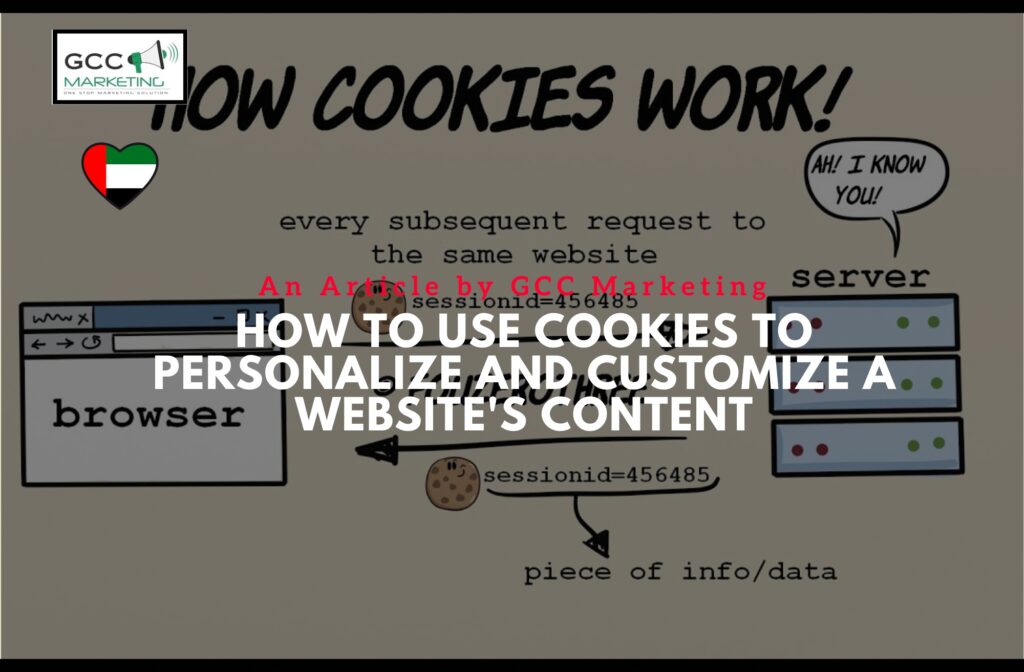
Before delving into the world of website personalization, it’s essential to understand what cookies are and how they work. Cookies are small pieces of data that websites store in a user’s browser. These cookies can be temporary (session cookies) or persistent (stay on the user’s browser even after closing it). They are used to gather data about a user’s behavior on the website.
When you visit a website, it may set a cookie in your browser, allowing it to recognize you when you return. This recognition forms the basis for personalization efforts. It enables the website to remember your preferences, such as language settings, login credentials, or personalized recommendations.
How Cookies Work in Website Personalization
Cookies are not a mysterious or invasive tool; they are simply used to track and remember your interactions with a specific website. When you accept cookies on a website, you are essentially giving it permission to collect and use data to create a personalized experience for you.
Website personalization works by analyzing the data collected through cookies. This data includes your browsing history, the pages you visit, the time you spend on each page, and even the products you view or purchase. By using this data, websites can optimize and tailor content or products to suit your preferences and needs.
Types of Cookies: First-Party and Third-Party
Cookies can be categorized into two main types: first-party and third-party cookies. First-party cookies are set by the website you are currently visiting. They are primarily used to improve the user experience on that specific website.
On the other hand, third-party cookies are set by domains other than the one you are currently browsing. These cookies are often used for analytics and advertising purposes, allowing websites to gather data about your behavior across multiple sites to deliver personalized ads and content.
Managing Cookies with Ease: Mastering Your Website’s Personalization
As a website owner or administrator, it’s essential to provide users with transparent and accessible ways to manage their cookies. This includes offering options to accept or decline cookies, as well as the ability to clear cookies from their browsers.
Modern web browsers like Google Chrome, Mozilla Firefox, and Safari offer user-friendly interfaces for managing cookies. Users can selectively delete cookies, clear all cookies, or even set their browsers to block cookies by default, which gives them more control over their online privacy.
Cookie Notices and User Privacy: Navigating Personalization Ethically
With the growing concern for online privacy, it’s crucial for website owners to be transparent about their use of cookies. This is where cookie notices come into play. A cookie notice is a message or pop-up that appears when you visit a website for the first time, acknowledging the use of cookies and giving you the option to accept or decline them.
To navigate the world of website personalization ethically, it’s important to respect user preferences and adhere to data protection regulations, such as the General Data Protection Regulation (GDPR) in Europe. This includes providing users with clear information about how their data is used and allowing them to opt out of personalized experiences if they wish.
Improving Your Website’s Performance through Personalization
Website personalization isn’t just about creating a personalized experience for your visitors; it also has tangible benefits for your website’s performance. By delivering relevant content and product recommendations, you can increase user engagement, reduce bounce rates, and ultimately boost conversions.
Personalization can help you gather valuable insights about your audience’s preferences and behavior. By analyzing website traffic and user data, you can inform your personalization efforts and make data-driven decisions to optimize your website continually.
Take Control: Customize and Personalize Your Website Like a Pro
Creating a personalized website experience requires using the right tools and strategies. Here are some key steps to help you get started:
- Set Clear Goals: Define the goal of your website personalization efforts. Are you aiming to increase sales, improve user engagement, or enhance brand loyalty?
- Collect Data: Gather data about your website visitors. This includes demographics, browsing history, and purchase behavior.
- Segment Your Audience: Divide your audience into distinct segments based on data. For example, you can segment users by location, interests, or past interactions with your website.
- Create Personalized Content: Tailor your website content, recommendations, and product offerings to each audience segment.
- Test and Iterate: Continuously test the effectiveness of your personalization efforts and make adjustments based on performance metrics.
Website Personalization in Action: Real-Life Success Stories
To illustrate the power of website personalization, let’s explore a few case studies of successful website personalization:
- Amazon: Amazon is a prime example of effective personalization. The platform uses user data to offer personalized product recommendations, creating a tailored shopping experience for each visitor.
- Netflix: Netflix uses personalization to suggest movies and TV shows based on a user’s viewing history and preferences, ensuring that users discover content they are likely to enjoy.
- Spotify: Spotify curates personalized playlists and recommends music based on a user’s listening history, enhancing the overall music discovery experience.
Maximizing Your Website’s Potential: The Benefits of Personalization
In conclusion, website personalization, powered by cookies and data analysis, offers a multitude of benefits. It improves user experience, boosts engagement, and drives conversions. However, it’s essential to balance personalization with user privacy and data protection, as ethical considerations play a crucial role in building trust with your audience.
How to Use Cookies to Personalize and Customize a Website’s Content
By implementing effective personalization strategies and using data responsibly, you can unlock the full potential of your website, delivering unique and engaging experiences to your visitors. Remember, the key to successful personalization lies in understanding your audience and using data to create a personalized and relevant experience that keeps users coming back for more.